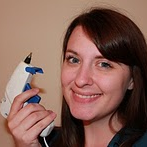
Cricut Basics

Cricuts are an awesome addition to every crafters arsenal. Cricuts are personal electronic die-cutting machines. During my next three posts I’m going to outline three different aspects of Cricuts. The first entry will be about Basics, an introduction to Cricuts for those of you who don’t (yet) have one. The next week will be Cricut Beginnings which will be what to do once you have a Cricut cutter. The last week will be Cricut Techniques which is some of the tips I have found out through experience or research.

Cricut Basics- for non- pre-owners
You may have heard of the Cricut machine, passed the Cricut aisle in the craft store, or even seen one in action but what is it really? Cricut is produced by Provo Craft and they make multiple products under the label. Here is a list of their products.

The Cricut (original)- Can produce 1”- 5.5” image from cartridges that fit all of the Cricut Machines. You put paper on a sticky mat (12”x6”) , type in what image you want on the keyboard, and press cut.

The Cricut Create- Can produce a .25”-5.5” image. Uses the same cartridges and mat as the original Cricut.

The Cricut Expression- Can produce images much larger. Uses the same cartridges but the mat is 12”x12” or 12”x 24.” Has more cutting options than the smaller versions.

The Cricut Cake- Pretty much the same as the Expression only can cut out products like fondant.

Juke Box- Can utilize up to 6 Cricut cartridges and switch between them with the push of a button instead of having to change them in and out.

Gypsy- A handheld design studio that you can download your cartridges onto and create images which you can cut out with your Cricut.

Design Studio- Similar to the Gypsy only it is a computer program that links up to your Cricut. You can download a free trial to see how it works. I'll talk more about this another day.

Cricut Imagine- This is the newest Cricut product. It is like an Expression plus a printer. You can actually print and cut at the same time. It helps with layering images and of course adds color.

Here is a simple demonstration of how a Cricut works:


Update on the 3Yin3M Challenge: I'm still going strong. I have used my Cricut a ton so I don't have to keep buying more letters and cut outs individually at the store. Pictures coming next week!

You can still submit a project to the Wayward Weekend. We would love to see what you guys do!

Cloud shaped garland

Photobucket
So Brave Brooke is expecting her first baby in June. In February I asked her if I could throw her a baby shower. Since then I've been collecting ideas for decor, food and activities at the shower. It's now crunch time as the shower is a mere 12 days away! I've made a to do list for every day from now until then because I also have to finish the present for the baby.

The theme for the shower is "Heaven Sent," I was looking for inspiration and found this idea for garland from Remodelaholic (love that blog). I decided to adapt my party theme to this garland and make mine out of clouds!


Materials:
White fabric (got mine for a steal from the remnant bin at Joann)
Scissors
Cardstock
Pencil
Pins
Sewing Machine

Here's what I did:

1. First, freestyle a picture of a cloud on cardstock. It doesn't have to be perfect. Cut it out and then use it as a template on your white fabric. You could use a disappearing pencil or just a plain ol' pencil like I did. After tracing your cloud over and over, cut them out. To make it easier I would fold the fabric over and cut out two at a time:

Photobucket

2. Pin the clouds together. You can spread them out more than I did, but I wanted to make sure they'd stay together. If you spread them out the probably would look more like clouds (or whatever shape you wanted) in the end.

Photobucket

I made several different strands and then attached them while I was sewing.

3. Sew them all together in as straight of a line as possible, but it doesn't really matter (which is great since I told you guys I can't really sew. You should have seen the fight I had with the bobbin last night). Connect the different strands when you run out. 

Cloud Garland

4. You're DONE! This craft was really easy once I got my bobbin fixed (I'm not still upset about that or anything). I laid it out on my couch to show you a contrasting color.

I used about a remnant that was 3/4 of a yard and my garland was about 10 ft long (much longer than my couch, I didn't show the extra). I'm excited to use this in decorating! It doesn't look TOO cloud-y so I could use it in a different party as well.

Photobucket

What kind of shapes would you cut?

****Don't forget about Wayward Weekend! It's still going on and you can link your projects up. Scroll down to link your latest creation!

Not-so-crisp fruit crisp

This weekend, I opened a big can of peach halves, only used two of them. So (inspired by too many Chopped episodes) I decided to make a fruit crisp.

Here's the fruit in the pan:

And the topping mix:

Together, before baking:

And after baking:

It looks delicious, but one thing was a little disappointing: the topping texture. It just wasn't crisp enough! I was expecting more of a streusel topping texture: light, crunchy, sweet. The proportions reminded me of my husband's favorite coffee cake streusel topping, but instead this was a little crunchy, and a lot chewy.

Here's what I used (to the best of my recollection):
  • 1/2 c packed brown sugar
  • 1/4 c butter
  • 2 T white sugar
  • 2/3 c quick rolled oats
  • 1/2 c flour

Because I use unsalted butter, I sprinkled a tiny bit of salt over the top. I also sprinkled on a little cinnamon. The taste of the topping and filling was fine. But, man, why did this fruit crisp turn out less than crispy?

A little help?

Wayward Weekend!

Welcome to the first ever Wayward Weekend! We're so excited to have 50 followers, and we're sure you're all wonderfully wayward and crafty. We also want to get to know you better. So we're celebrating with
Show off your recent projects!

How do I participate?
 If you've blogged about (or even just taken a picture of) your latest project (baked good, scrapbook page, sewing project, etc.etc.etc.), share it with the linky below. Be sure to add the badge or just link back to this post.

Copy the code below the badge into the HTML of your post for an easy link back to here.


 <a href="http://www.waywardgirlscrafts.com/2011/04/wayward-weekend.html"><img src="https://blogger.googleusercontent.com/img/b/R29vZ2xl/AVvXsEiKB9vlmE7RIbUkE534NIF8PNYBajeCjRqgjbHM1ueF1uktMDqX8nOKdNVmZTO2mHItuOzrnJJCblueV7hgtH2M57WU_rSN27K5jllw5EIFPGjYWCxEcY-4M7wXfobVr-S0goI1knMUxwFz/s1600/wayward+weekend.png" border="0" alt="Wayward Weekend" /></a>

Be sure to read and comment on the two posts above yours!


There's a chance we'll be featuring some of our favorite projects of yours soon here on WGC!

I'm sure Brooke would have wanted to post this, but she's sick today (well wishes and prayers appreciated).

"Nana, but did you make me anything special?"

My consuming passion for the past month has been creating  a quiet/busy book for Jordan's children. I have been gluing, cutting, coloring, riveting, and searching for specialty items for weeks. I finished it in time for my trip to Utah and was excited to give it to the children. On Sunday, Hayden worked his way through the entire book-- there are about 17 different activities-- taking nearly  an hour.  He enjoyed it, but when he got finished, he looked at me and said, "Nana, but did you make me anything SPECIAL?"


Special or not, here are some ideas to make a busy book of your own. Since this one was for the kids to take to church, most of the pages are scripture or gospel based. Yours doesn't have to be. They emphasize counting, matching color and shape, letter identification, fine motor skills and coloring. Many of the pages came from a children's magazine (The Friend) that I had saved for many years. Also, many of the activity can be found at their website (This is a magazine from the Church of Jesus Christ of Latter-day Saints, but many of the activities are suitable for all Christian faiths.)The Friend activity pages. I also used folder games from a website called Mormon Chic .   You can also create pages on your own.

To get started: find activities that your children would enjoy. Each activity will probably consist of a background page and pieces. Print out the pages and pieces on or glue the pages to  cardstock. In order to make mine stronger,  I cut out the pieces and glued them (glue stick or spray adhesive) to old file folders. Then I cut them out and laminated them with my Xyron 900.  A problem I have encountered with the laminating film from the Xyron is that it is too slick for things to adhere to it. Since I was using sticky back  Velcro to attach everything, I roughed up the back surface of each piece with an emery board. It only takes a few strokes. You can also used "clear" Contact paper, but it isn't really clear. There are other laminating options at office or craft stores. You can also have things laminated for you at office stores.

(Lessons I learned in the process: Make sure you glue things together really well! Some of my things started coming apart, so I ended up using transparent tape to seal them back together after they were laminated. Also, don't trim your laminating film too close. I know it looks better, but they will last better if there is an 1/8" or so around them.)

I slipped each paged into a glossy page protector and applied sticky back Velcro  to attach the pieces. I am going to tape the top of each page shut so that the pages don't slip out.

What to do with all those pieces: I used transparent vinyl I purchased from a fabric store (the sales slip was still on it. I got it in 1998!) to create pockets for each set of pieces. Just figure out the size you will need to fit your pieces. Double the length and then add about 1 1/2" for a flap. (Ex: If you need a pocket 5" wide and 6" long, cut your vinyl 5" wide and 13 1/2" long.) Fold the bottom over to create the 5" x 6" pocket with the flap extended. Set your machine to a wide zigzag stitch and sew each edge about 1/4" from the edge. Reinforce the ends of each seam by backstitching. Use Velcro to create a closure.


A word about Velcro. There are lots of choices. I selected transparent sticky back circles. (40 sets in a pack for about $5.00 at Walmart) I cut each circle in half. I also got some white sticky back Velcro that I used when it didn't matter if it showed. Make sure you match the placement of the set on the piece and on the background pages.

I decided on the order of my pages and then figured out where the pocket should go. Some are right on the activity page, others are before, but most are on the back of the page. I varied the placement (top, middle or bottom) on the page so that the bottom of the book wouldn't be too thick. I attached them with a heavy duty packaging tape so they are very secure.

Some pages needed more durability than glue or tape. For these I used eyelets and or brads. The drawback to this is that you can't use the back of the page for anything else.

One great addition that I found was Dry-Erase crayons. I included a set of those so that the children can complete a maze page and color on the coloring pages. They can also draw on the back of the notebook. The crayons can be purchased at Michaels and other craft stores for about $5 for a set of 8. They color smoothly and wipe right off with the mitt that is included.


I used printed scrapbook paper to create a stormy background for Jonah and the whale puppets.

I used Brooke's Cricut to cut out these shapes for matching.

These are the pages I created: 

1. I Feel My Savior's Love—matches numbers to objects
2. In the beginning—shape and number recognition
3. Treasures of a happy life—threading "jewels" on a shoestring, also a lock and key
4. Noah's Ark
5. Dress the Bear (several outfits from MormonChic)
6. The Birth of Jesus (flannel board story)
7. Remember Jesus Wheel
8. Animal matching game
9.  Healthy food—choosing healthy food out of the "fridge"
10. Jonah and the Whale puppets
11. A child of God—adding eyes, noses, and mouths to create faces
12. Color matching (children's clothes to chairs)
13.Family Tree
14. Flower Garden
15. Shape Matching Game
16. Coloring pages (2)
17. Letter recognition cards with stories of the prophets on them.
Related Posts Plugin for WordPress, Blogger...